
Imagine arriving at work on Monday morning to find that someone logged into your business email over the weekend, forwarded all your emails to an unknown address, and sent fraudulent payment requests to three of your biggest clients.
This is Account Takeover — one of the fastest-growing cybersecurity threats facing businesses in 2026. And it does not just happen to large corporations. Small and mid-sized businesses are targeted every day.
In this guide, you will learn exactly what account takeover is, how attackers pull it off, what the consequences look like, and most importantly — how to protect your business.
What Is Account Takeover (ATO)?
Account Takeover, commonly abbreviated as ATO, is a form of identity fraud where a cybercriminal gains unauthorized access to one of your business accounts — email, banking, cloud software, social media, or any other online platform.
Once inside, the attacker can impersonate you or your employees, steal sensitive data, transfer funds, lock you out of your own account, use your account to attack others, or monitor your communications silently for months.
What makes ATO particularly dangerous is that it often goes undetected for weeks or even months. The attacker does not break down the front door — they walk in using your own key.
How Account Takeover Works
Attackers use several methods to gain access to business accounts. Understanding these methods is the first step to defending against them.
Credential Stuffing
Billions of username and password combinations from previous data breaches are available for purchase on the dark web. Attackers buy these lists and automatically try them against popular business platforms — Microsoft 365, Google Workspace, banking portals, and SaaS applications.
If your employee reuses the same password across multiple accounts, and that password appeared in any previous data breach anywhere, their business account is at risk. Credential stuffing attacks are automated and can test millions of combinations in hours.
Phishing Attacks
A convincing email tricks your employee into entering their username and password on a fake login page that looks identical to Microsoft, Google, or your banking portal. The attacker captures the credentials in real time and immediately logs into the real account.
Advanced phishing attacks can even capture MFA codes in real time using adversary-in-the-middle techniques, allowing attackers to bypass basic two-factor authentication.
Password Spraying
Instead of trying many passwords against one account (which triggers lockouts), attackers try one common password against thousands of accounts. Common passwords like Company2024!, Welcome1, or Season+Year are tested across your entire organization.
This technique avoids account lockout thresholds while still successfully compromising a significant percentage of accounts.
Brute Force Attacks
Automated tools systematically try every possible password combination until they find the right one. Short, simple passwords can be cracked in seconds. An 8-character password using only lowercase letters can be cracked in under an hour with modern computing power.
Session Hijacking
After you log in, your browser stores a session token that keeps you authenticated. If an attacker can steal this token — through malware, a compromised network, or cross-site scripting — they can take over your active session without ever needing your password.
SIM Swapping
The attacker contacts your mobile carrier, impersonates you, and convinces them to transfer your phone number to a SIM card they control. Once they have your phone number, they can receive your SMS verification codes and bypass text-message-based MFA on any account linked to that number.
What Happens After an Account Is Taken Over?
The consequences of account takeover range from financially devastating to catastrophically damaging to your reputation and client relationships.
Financial Fraud
Attackers who gain access to business email accounts — a tactic called Business Email Compromise — use the account to send fraudulent invoices, request wire transfers, or redirect vendor payments to accounts they control. The FBI reports that BEC scams cost businesses billions of dollars every year.
Data Theft
Once inside your email or cloud storage, attackers can quietly download customer records, financial data, contracts, and intellectual property. This data is then sold on the dark web, used for further attacks, or held for ransom.
Account Lockout
Attackers often change the password and recovery options on compromised accounts, locking the legitimate user out entirely. Regaining access can take days and requires working through the platform’s recovery process — during which your business is completely locked out of that account.
Supply Chain Attacks
A compromised business email account is used to send phishing emails or malicious attachments to your clients, partners, and vendors. Because these messages come from a trusted, legitimate email address, recipients are far more likely to click — spreading the attack beyond your organization.
Reputational Damage
When clients receive fraudulent emails from your business address, or when they discover their data was exposed through your compromised account, the trust damage can be severe and long-lasting. Recovering client trust after an ATO incident often takes far longer than recovering your accounts.
7 Ways to Prevent Account Takeover
- Enable Multi-Factor Authentication on Every Account
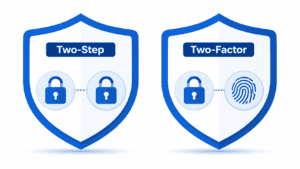
MFA is your single most effective defense against ATO. Even if an attacker has your password, they cannot log in without the second factor. Enable MFA on every business account — email, cloud applications, banking, your website admin panel, and any other system containing sensitive data.
Use an authenticator app rather than SMS codes wherever possible. Authenticator apps are significantly more resistant to SIM swapping and phishing attacks than text message codes.
- Use a Password Manager and Enforce Unique Passwords
Credential stuffing only works when people reuse passwords. If every account has a unique, randomly generated password stored in a password manager, a breach of one account does not expose others.
Deploy a business password manager like 1Password for Teams or Bitwarden for Business across your organization. This eliminates password reuse while making it easy for employees to use strong, unique passwords for every account.
- Monitor for Dark Web Credential Exposure
Your employees’ email addresses and passwords may already be available on the dark web from previous data breaches at other companies — without anyone at your business knowing. Dark web monitoring tools continuously scan for your business email addresses and alert you when credentials are found in breach databases.
When a credential exposure is detected, that password should be changed immediately and all active sessions terminated.
- Implement Conditional Access Policies
Modern identity platforms like Microsoft Entra ID allow you to set conditions that must be met before access is granted. Require that logins come from managed devices. Block access from countries your business does not operate in. Require additional verification when logins happen from new locations or at unusual hours.
These policies stop many ATO attempts automatically, even when attackers have valid credentials.
- Train Employees to Recognize Phishing
Since phishing is the most common way attackers steal credentials, training your team to recognize phishing attempts dramatically reduces your ATO risk. Run regular security awareness training and simulated phishing campaigns to keep your team sharp.
Teach employees to verify login pages by checking the URL carefully before entering credentials, and to report suspicious emails to IT immediately rather than clicking first and asking questions later.
- Monitor for Suspicious Account Activity
Enable login activity monitoring and alerting on all business accounts. Configure alerts for logins from new devices or locations, login attempts outside business hours, multiple failed login attempts, and changes to account settings like email forwarding rules or recovery options.
Many ATO attacks can be caught early if you are watching for these warning signs.
- Establish a Fast Response Process
When an ATO is detected or suspected, speed is critical. Every minute an attacker has access, they can cause more damage. Document a clear response process: who to contact, how to revoke access, how to review what the attacker accessed, and how to notify affected parties.
Your IT provider or MSP should have an incident response capability that can spring into action immediately when an ATO is detected.
Signs That an Account May Already Be Compromised
Watch for these warning signs that an account takeover may have already occurred: email forwarding rules that nobody set up, sent emails that the account owner does not recognize, login activity from unusual locations or times, colleagues reporting receiving strange emails from your address, inability to log in with correct credentials, and unexpected password reset or MFA change notifications.
What to Do If Your Account Is Taken Over
Act immediately if you suspect an account takeover. Contact your IT provider or MSP right away. Try to regain access through the platform’s official account recovery process. Once access is restored, change the password immediately and enable or reset MFA. Review all recent account activity to understand what the attacker accessed or changed. Check email forwarding rules and connected applications for anything suspicious. Notify your clients, partners, and vendors if there is any possibility their information was compromised or they received communications from the compromised account.
Document everything for your incident response records and for any insurance claims.
How NetProtechs Protects Arizona Businesses from ATO
At NetProtechs, our account takeover prevention services include MFA deployment and management across all business accounts, business password manager setup and enforcement, dark web monitoring with real-time alerting when your credentials appear in breach databases, conditional access policy implementation in Microsoft 365 and other platforms, login monitoring and anomaly detection, employee security awareness training focused on credential protection, and incident response support when an ATO is suspected or confirmed.
Is Your Business Protected Against Account Takeover?
Get a free cybersecurity assessment and find out if your accounts are at risk — before an attacker finds out first.