Introduction
If your business handles Protected Health Information (PHI) — patient records, medical histories, billing information, insurance data — you are subject to HIPAA regulations. And HIPAA compliance is not optional.
The consequences of non-compliance range from $100 to $50,000 per violation, with annual caps up to $1.9 million per violation category. In cases of willful neglect, criminal penalties, including imprisonment, are possible.
This checklist covers the essential IT requirements every HIPAA-covered entity must address in 2026.
Who Does HIPAA Apply To?
Covered entities include healthcare providers (hospitals, clinics, private practices, dentists, therapists), health plans and health insurance companies, and healthcare clearinghouses.
Business associates are any third party that creates, receives, maintains, or transmits PHI on behalf of a covered entity — including IT service providers, billing companies, and cloud storage providers. If your business is a business associate, you must also comply with HIPAA and sign a Business Associate Agreement (BAA) with each covered entity you work with.
Administrative Safeguards
Conduct a Security Risk Assessment
HIPAA requires a thorough analysis of potential risks to the confidentiality, integrity, and availability of electronic PHI. This must be documented and updated regularly — many practices only do this when audited. That’s too late.
Develop and Implement Security Policies
Written policies covering information security, access management, incident response, and workforce training are required. These must be reviewed and updated regularly.
Designate a HIPAA Security Officer
Every covered entity must designate a responsible individual for security policy development and implementation. This can be an internal staff member or an external consultant.
Conduct Regular Workforce Training
All employees who access PHI must receive HIPAA security training, including phishing awareness, password security, proper handling of PHI, and breach reporting procedures. Training must be documented.
Physical Safeguards
Restrict Physical Access to Systems
Servers, workstations, and devices containing ePHI must be physically secured. This includes locked server rooms, clean-desk policies, and screen locks on workstations.
Control Device and Media Disposal
When disposing of hardware that contained ePHI, proper data destruction is required — not just deleting files. Drives must be wiped using DoD-standard tools or physically destroyed.
Implement a Mobile Device Policy
Mobile devices accessing ePHI must be managed through Mobile Device Management (MDM) software with remote wipe capability, encryption, and strong authentication.
Technical Safeguards
Implement Unique User Identification
Every user who accesses systems containing ePHI must have a unique login. Shared accounts are not permitted under HIPAA.
Implement Encryption
All ePHI must be encrypted both at rest and in transit. While technically ‘addressable’ under HIPAA, the failure to encrypt is a finding in virtually every breach investigation and is considered essential in 2026.
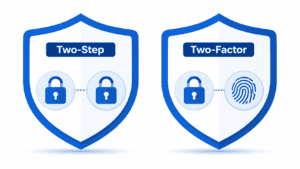
Deploy Multi-Factor Authentication
While not explicitly named in the original HIPAA rules, MFA is now considered an industry standard for protecting access to ePHI. Its absence is regularly cited in breach findings.
Implement Audit Controls
You must have mechanisms to record and examine activity in systems containing ePHI. This means logging all access to patient records — who accessed what, when, and what they did.
Backup and Disaster Recovery
ePHI must be backed up regularly, automatically, and with encryption. Test backup restoration at least quarterly and document the results. HIPAA requires a contingency plan that addresses data backup, disaster recovery, emergency mode operations, testing, and application criticality analysis. Backup copies must be stored in a separate physical location from your primary systems.
Third-Party and Cloud Service Compliance
Any vendor that accesses, stores, or processes ePHI must sign a Business Associate Agreement (BAA). This includes your cloud storage provider, email provider, EHR vendor, billing service, and IT provider. Microsoft Azure and Microsoft 365 offer HIPAA-compliant services and will sign a BAA. Review BAAs annually.
The Most Common HIPAA IT Failures
The most common failures are: no risk assessment or an outdated risk assessment (the #1 finding in HIPAA audits), insufficient access controls with too many people having access to PHI they don’t need, no or failed data encryption, especially on laptops and email, missing or outdated Business Associate Agreements, inadequate backup and recovery testing, and insufficient workforce training.
Getting HIPAA IT Compliance Right
At NetProtechs, we help healthcare businesses across Arizona achieve and maintain HIPAA IT compliance — including Security Risk Assessments, HIPAA-compliant infrastructure design, encrypted backup and disaster recovery, 24/7 monitoring and audit logging, workforce security training, and Business Associate Agreement management.