Here’s a fact that surprises most small business owners: cybercriminals don’t just go after large corporations. In fact, small businesses are now the primary target for ransomware attacks — and the numbers are alarming.
Over 70% of ransomware attacks target businesses with fewer than 100 employees. The average ransom demand has climbed to over $200,000 — and that doesn’t include the cost of downtime, data recovery, and lost business.
If you think your business is too small to be a target, you’re exactly who these criminals are counting on.
What Is Ransomware?
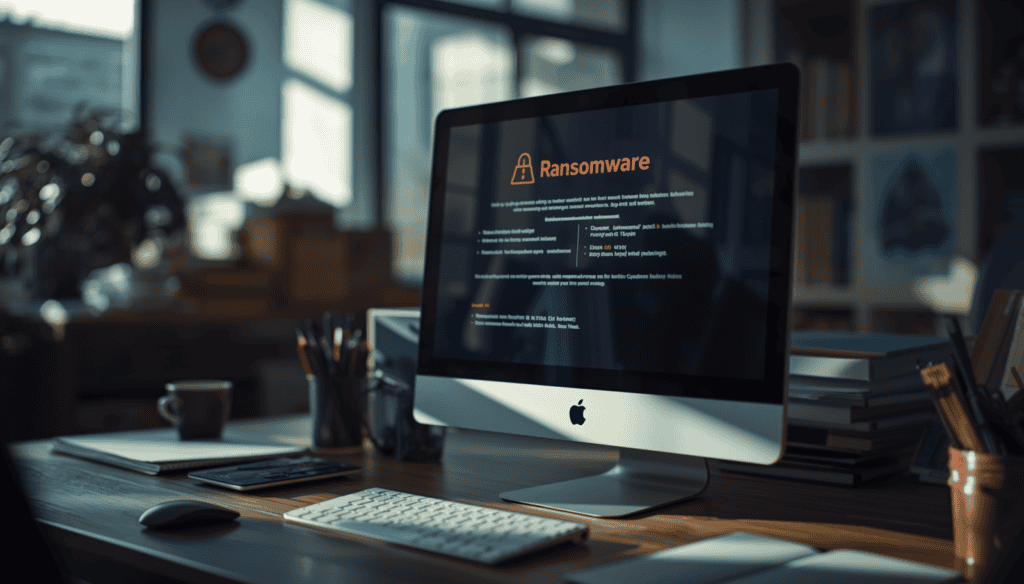
Ransomware is a type of malicious software that encrypts your files and locks you out of your own systems. The attackers then demand a ransom payment — typically in cryptocurrency — in exchange for the decryption key.
Once ransomware hits, your options are limited. You can pay the ransom with no guarantee of getting your data back, restore from a clean backup if you have one, or lose your data permanently.
The whole attack can happen in minutes. One wrong click on a phishing email, and an attacker can have your entire network encrypted before your team even realizes something is wrong.
Why Are Small Businesses Targeted?
Weak Security Defenses
Large corporations invest millions in cybersecurity infrastructure. Small businesses typically rely on basic antivirus software — or nothing at all. Criminals know this, and they exploit it.
Valuable Data Without Strong Protection
Small businesses handle sensitive data — customer records, financial information, employee data — that attackers can hold for ransom or sell on the dark web. The data is valuable, but the protection is minimal.
High Likelihood of Paying
Small business owners often feel they have no choice but to pay. They don’t have IT teams, backup systems, or incident response plans. Faced with the prospect of permanently losing customer data, many pay the ransom.
How Ransomware Gets Into Your Business
Phishing Emails — Most Common
A convincing email appears to come from a trusted source — your bank, a vendor, or even a colleague. It contains a malicious link or attachment. One click, and the malware is inside your network.
Remote Desktop Protocol Attacks
If your team uses Remote Desktop to work from home, attackers can brute-force weak passwords and gain direct access to your systems without any phishing required.
Unpatched Software
Outdated operating systems and applications contain known vulnerabilities. Attackers scan for businesses running unpatched software and exploit these weaknesses automatically.
Malicious Downloads
Fake software downloads, infected USB drives, or compromised websites can deliver ransomware directly to your devices.
7 Steps to Protect Your Business from Ransomware in 2026
Step 1: Implement Automated, Offsite Backups
This is your most important defense. If you have a clean, recent backup stored offsite, ransomware loses its power. Backups should run automatically every day, be encrypted, stored offsite or in the cloud, and tested regularly to ensure they actually work.
Step 2: Train Your Team to Recognize Phishing
Your employees are your first line of defense and your biggest vulnerability. Regular security awareness training teaches your team to spot suspicious emails before they click.
Step 3: Use Multi-Factor Authentication Everywhere
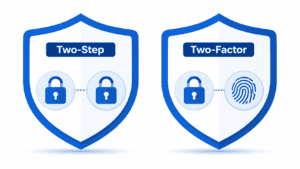
MFA adds a second layer of protection beyond passwords. Even if an attacker gets your password, they can’t log in without the second factor. Enable MFA on all business accounts.
Step 4: Keep All Software Updated
Enable automatic updates for your operating system, applications, and firmware. Every unpatched vulnerability is an open door for attackers.
Step 5: Deploy Endpoint Detection and Response
Basic antivirus software is no longer enough. Modern endpoint protection uses AI and behavioral analysis to detect and stop ransomware before it can encrypt your files.
Step 6: Segment Your Network
If ransomware gets onto one device, network segmentation prevents it from spreading to the rest of your systems. This limits the damage and gives you a fighting chance to contain the attack.
Step 7: Have an Incident Response Plan
Know exactly what to do if you get hit. Who do you call? Which systems do you isolate first? Where are your backups stored? Having a clear plan dramatically reduces your recovery time and costs.
What to Do If You’re Hit by Ransomware
Disconnect immediately and unplug affected devices from your network to stop the spread. Do not pay the ransom — there’s no guarantee you’ll get your data back. Contact your IT provider immediately because time is critical. Report to the FBI by filing a report at ic3.gov. Then restore from backup if you have clean backups ready.
How NetProtechs Protects Arizona Businesses
Our multi-layer cybersecurity approach includes 24/7 threat monitoring with real-time detection and response, automated encrypted backups stored securely offsite, AI-powered endpoint detection and response on every device, regular employee security training and phishing simulations, network segmentation to limit the blast radius of any attack, and a documented incident response plan so you’re never caught off guard.
Don’t Wait Until It’s Too Late
The average cost of a ransomware attack on a small business exceeds $200,000 when you factor in downtime, recovery costs, and lost business. Many businesses that are hit never recover.
Protecting your business costs a fraction of a single ransomware incident. Schedule your free cybersecurity assessment today.