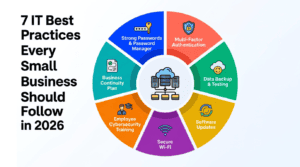

Introduction
In 2026, passwords alone are not enough to protect your business accounts.
Cybercriminals buy and sell billions of stolen username and password combinations. Phishing attacks steal credentials every day. Password reuse means one compromised account can open dozens of others.
Multi-factor authentication is the single most effective step you can take to stop unauthorized access — and it takes about 10 minutes to set up.
What Is Multi-Factor Authentication?
Multi-factor authentication (MFA) adds a second layer of security to your accounts beyond your password. To log in with MFA enabled, you need two things: something you know (your password) and something you have (a code sent to your phone or generated by an authenticator app).
Even if a cybercriminal has your exact username and password, they cannot log in without that second factor. Microsoft reports that MFA blocks over 99.9% of automated account compromise attacks.
Types of Multi-Factor Authentication
SMS Text Message Codes
A one-time code is sent to your phone via text. Easy to use but vulnerable to SIM swapping attacks. Better than nothing, but not the strongest option.
Authenticator App — Recommended
An app like Microsoft Authenticator or Google Authenticator generates a time-based one-time code that refreshes every 30 seconds. More secure than SMS, works without cell service, and is free. This is our recommended option for most businesses.
Push Notification
Your authenticator app receives a push notification asking you to approve or deny a login request. Extremely easy to use, but be aware of MFA fatigue attacks where attackers spam approval requests hoping you’ll tap approve accidentally.
Hardware Security Keys — Most Secure
A physical USB or NFC device (like a YubiKey) that you plug in or tap to authenticate. Virtually impossible to phish and the most secure option available. Recommended for high-value accounts like IT administrators and executive email.
How to Enable MFA for Your Business
Microsoft 365
Sign in to admin.microsoft.com, go to Users > Active Users, select Multi-factor authentication, select all users and enable MFA, then communicate the change to your team with setup instructions.
Google Workspace
Sign in to admin.google.com, go to Security > 2-Step Verification, click Allow users to turn on 2-Step Verification, then enforce enrollment for all users.
Implementing MFA Across Your Organization
Communicate early and clearly — tell your team what’s changing and why it matters. Provide simple setup instructions. Set a deadline of 1-2 weeks and then enforce it. Document your account recovery procedures. And don’t forget service accounts — audit all accounts and apply MFA everywhere.
The Bottom Line
Enabling MFA across your business takes a few hours of work. It blocks 99.9% of automated account compromise attacks. It costs nothing for most accounts.
There is no other security investment with a better return than this. If your business doesn’t have MFA enabled on all accounts today, make it your top priority this week.
Need help implementing MFA across your organization?