
Data is the lifeblood of your business. Customer records, financial information, employee data, project files, contracts — if this data disappeared tomorrow, how long would your business survive?
For most small businesses, the honest answer is not long. Yet surveys consistently show that a significant percentage of small businesses either have no backup at all or have a backup system they have never tested.
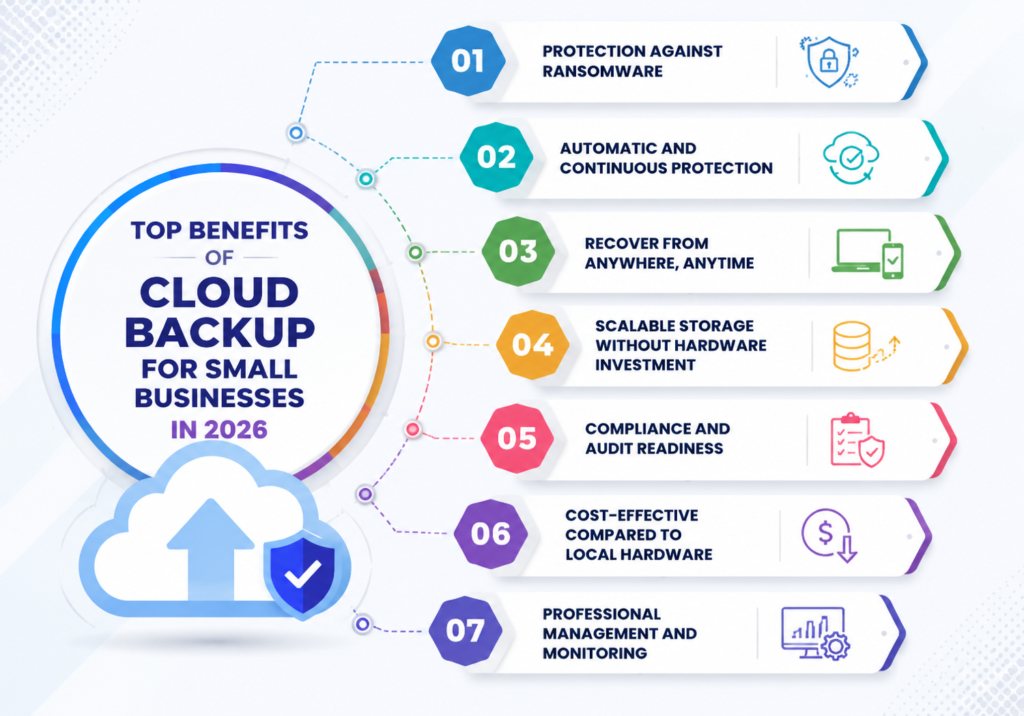
Cloud backup has made reliable, automated data protection accessible to businesses of every size. Here are the top benefits — and why cloud backup has become essential in 2026.
What Is Cloud Backup?
Cloud backup automatically copies your data to secure servers maintained by a third-party provider. Unlike local backups stored on drives in your office, cloud backups are stored in geographically separate data centers, protected by enterprise-grade security, and accessible from anywhere with an internet connection.
Modern cloud backup solutions run automatically in the background, require no manual intervention, and can restore individual files or your entire system depending on what you need.
Benefit 1: Protection Against Ransomware
Ransomware encrypts your local files and any local backups connected to your network. A clean, recent cloud backup stored separately from your primary systems is your most powerful weapon against ransomware — it allows you to restore your data without paying a ransom.
Many cloud backup solutions offer immutable backup storage, meaning backups cannot be encrypted, modified, or deleted — even if an attacker gains access to your primary systems.
Benefit 2: Automatic and Continuous Protection
Manual backups get forgotten. Employees get busy, skip a backup, and the forgotten backup becomes the backup you desperately need six months later after a server failure.
Cloud backup eliminates human error from the equation. Backups run automatically on a schedule you define — hourly, daily, or continuously — with no manual intervention required. You get consistent protection without relying on anyone to remember to do it.
Benefit 3: Recover from Anywhere, Anytime
With local backups, recovery requires physical access to your backup hardware. If your office floods, burns, or is burglarized, your local backup is gone along with everything else.
Cloud backups are accessible from any internet-connected device. If your entire office is unavailable, you can restore your data to new hardware from a hotel room, a client site, or a temporary workspace. This geographic independence is critical for true business continuity.
Benefit 4: Scalable Storage Without Hardware Investment
Local backup hardware has fixed capacity. When you run out of space, you buy more hardware. And hardware fails — backup drives have a limited lifespan, and when they fail at the wrong moment, your backup is gone.
Cloud storage scales automatically as your data grows. You pay for what you use, there is no hardware to purchase or maintain, and your storage capacity is effectively unlimited. As your business grows, your backup grows with it.
Benefit 5: Compliance and Audit Readiness
Many regulatory frameworks — HIPAA, PCI-DSS, SOC 2 — require documented data backup and retention policies with regular testing. Cloud backup solutions provide automated retention policies, backup logs, and restoration testing reports that satisfy compliance requirements.
Having a documented, tested cloud backup solution demonstrates due diligence to auditors, clients, and regulators.
Benefit 6: Cost-Effective Compared to Local Hardware
The total cost of ownership for local backup hardware — purchase price, maintenance, power, cooling, replacement every 3-5 years, and IT staff time to manage it — is often significantly higher than cloud backup subscription costs.
Cloud backup eliminates capital expenditure and converts backup costs to a predictable monthly operational expense that scales with your actual usage.
Benefit 7: Professional Management and Monitoring
When your cloud backup is managed by a professional MSP like NetProtechs, every backup is monitored for success or failure. Failed backups trigger immediate alerts and remediation — not a silent failure you discover only when you need to restore.
Managed cloud backup includes regular restoration testing to verify that your backups actually work, detailed reporting, and proactive management of your retention policies and storage usage.
What to Look for in a Cloud Backup Solution
The best cloud backup solutions for small businesses include automated daily or continuous backups, encryption both in transit and at rest, immutable storage that cannot be encrypted by ransomware, fast restoration capabilities with a clear RTO, compliance certifications relevant to your industry, monitoring and alerting for backup failures, and regular restoration testing.
How NetProtechs Delivers Cloud Backup
At NetProtechs, we deploy and manage enterprise-grade cloud backup solutions for small and mid-sized businesses across Arizona. Every client gets automated daily backups, offsite cloud storage, immutable backup protection, 24/7 backup monitoring, quarterly restoration testing, and a documented recovery plan.